Category: Fix & Support
What Does ‘Harmful App Blocked’ Mean on Android? Here’s the Fix
“Harmful app blocked” means Google Play Protect scanned an app and flagged it as potential malware, so Android stopped the install or removed it automatically to protect your device. It doesn’t always mean the app is actually dangerous — Play Protect sometimes over-flags legitimate apps — but the fix depends on whether you trust the…

Why Do Apps Keep Saying They Don’t Work? Common Causes and Fixes
Apps stop working mainly because of low storage, outdated software, corrupted app data, or background memory limits forcing the system to shut them down. Most of these issues clear up in under five minutes with a force stop, a cache clear, or a quick update — no reinstall needed in most cases. Key Takeaways Low…
How to Spot a Fake Payment App or Screenshot Scam
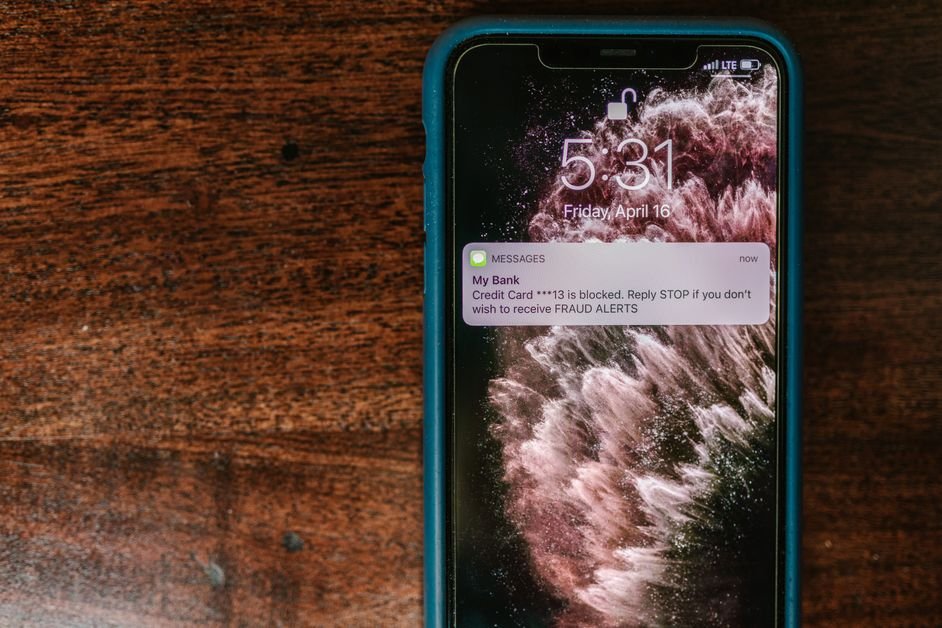
A fake payment app or screenshot scam happens when a buyer sends a forged “payment successful” image to trick a seller into releasing goods before any money actually arrives. Unlike a cloned app, this scam often just edits a real screenshot using photo editing tools, so the fastest protection is always checking your own bank…
How to Spot a Fake PhonePe App (And Protect Your Money)
A fake PhonePe app scam uses a cloned app that looks nearly identical to the real PhonePe interface to show a fake “payment successful” screen, complete with animation and sound, while no actual money moves into your account. Shopkeepers, street vendors, and freelancers who rely on visual or audio confirmation are the most common targets.…
Fix: “An App Is Obscuring a Permission Request” Error
The “Because an app is obscuring a permission request, your permission is not verified” error appears on Android when a background app overlay, such as a floating chat head or screen dimmer, is blocking the system from confirming your permission tap. Closing overlay apps or disabling the “Display over other apps” permission for the interfering…
Fix: “Download Failed Because You May Not Have Purchased This App”
The “Download failed because you may not have purchased this app” error on Google Play usually happens when your Google account has a payment or sync issue, not because you actually didn’t buy the app. Clearing the Play Store cache and re-adding your Google account fixes it in most cases. Key Takeaways This Google Play…
Fix: “This App Is Preventing Shutdown” on Windows
The “This app is preventing shutdown” message on Windows appears when a running program hasn’t closed properly, blocking the shutdown process. The fastest fix is clicking “Force shutdown” if Windows offers it, or manually closing the named app first, then trying to shut down again. Key Takeaways This Windows message appears when a program still…
How to Remove Truecaller as Your Default Calling App
To remove Truecaller as your default calling app, open Settings, search for “default apps,” tap Phone app (or Dialer app), and select your phone’s stock Phone app instead of Truecaller. This restores your standard dialer as the default while keeping Truecaller installed for caller ID lookups if you still want it. Key Takeaways Truecaller can…
HDFC Mobile Banking App Not Working? Here’s the Fix
If the HDFC mobile banking app isn’t working, first check your internet connection, then clear the app’s cache, confirm your phone’s date and time are set to automatic, and make sure you’re running the latest app version. Most login and loading issues are resolved by one of these steps. Key Takeaways Check your internet and…
How to Download WhatsApp Status Without Using an App
You can download WhatsApp Status updates without installing any third-party app by using WhatsApp’s own built-in save feature. Open the status, tap the three-dot menu, and select Save, or use the Save button under Status Updates on newer versions of WhatsApp. Key Takeaways Respect privacy and copyright before you save someone’s status. Use official features…