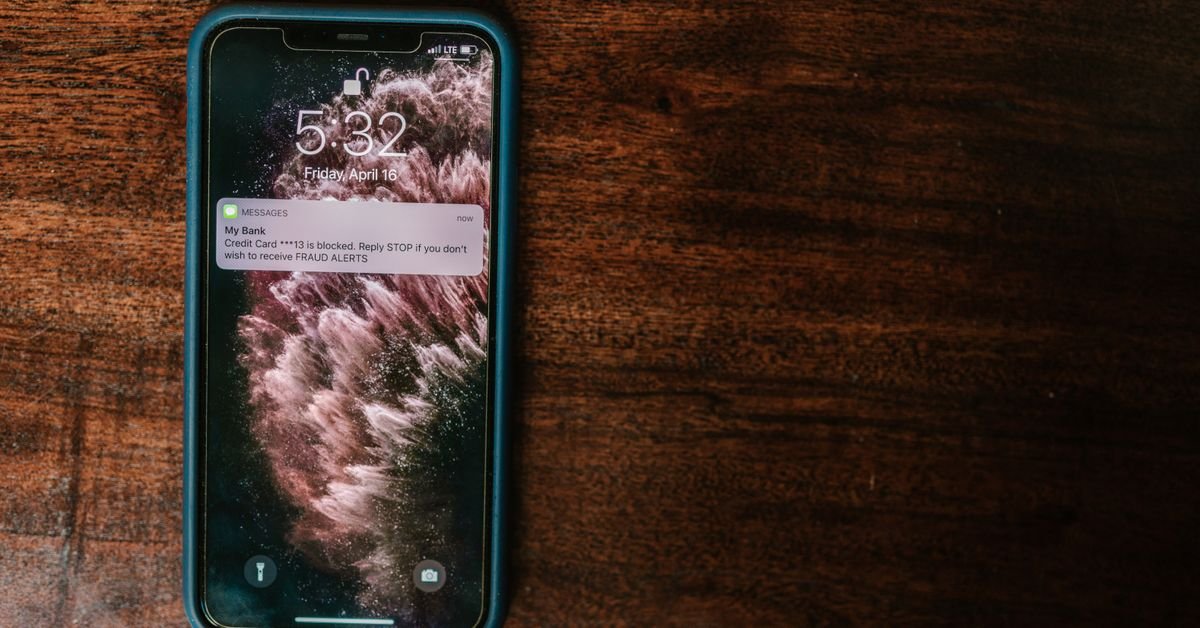
To learn how to stop pop up ads, block pop-ups in your browser, turn off site notifications, and remove any app that shows ads outside the app. These three steps fix most cases. If the ads continue, scan the phone for unwanted apps or malware.
Key Takeaways
- Most pop-up ads come from browser pop-ups, site notifications, or an ad-heavy app.
- Chrome blocks pop-ups by default, but you can check the setting.
- Notification permission is a common source of ads that appear outside the browser.
- Unknown apps and malware can also cause pop-ups on the home screen.
- A trusted security scan and a clean reinstall solve stubborn cases.
Why Pop Up Ads Appear on Your Phone
Pop-ups reach your phone through a few clear paths. Therefore, you should find the source before you change settings.
| Source | What it looks like | Best fix |
|---|---|---|
| Browser pop-up | A new tab or window opens while you browse | Block pop-ups and redirects |
| Site notification | Alerts appear even when Chrome is closed | Block site notifications |
| Ad-heavy app | Full-screen ads while you use the app | Uninstall or pay for the ad-free version |
| Unwanted app or malware | Ads on the home screen or lock screen | Scan, then uninstall the app |
How to Stop Pop Up Ads in Chrome on Android
Google Chrome blocks pop-ups by default. However, a past permission can turn them back on. Follow the Chrome Help instructions on pop-ups or use these steps:
- First, open Chrome and tap the three-dot menu.
- Next, tap Settings, then Site settings.
- Then, tap Pop-ups and redirects.
- Finally, switch the toggle to blocked.
Additionally, open Site settings and check the Ads option. Chrome can block ads on sites that show intrusive ads.
How to Turn Off Site Notifications
Some sites ask to send alerts, and one tap on Allow is enough. As a result, spam alerts can appear even when you do not browse.
- First, open Chrome Settings, then Site settings.
- Next, tap Notifications.
- Then, review the Allowed list.
- Finally, tap each unknown site and block it.
Furthermore, you can switch notifications off for every site. This choice stops new requests, too.
How to Stop Pop Up Ads on iPhone
Safari blocks pop-ups by default on iPhone. Nevertheless, you can confirm the setting.
- First, open Settings and tap Apps, then Safari.
- Next, turn on Block Pop-ups.
- Then, turn on Fraudulent Website Warning.
- Finally, clear history and website data if redirects continue.
On older iOS versions, Safari settings sit directly in the main Settings list. Meanwhile, calendar spam can also appear on iPhone. Delete any unknown subscribed calendar under Settings.
How to Find an App That Shows Ads Outside Its Window
If ads appear on your home screen, an installed app is the likely cause. Consequently, you need to find it.
- Review apps you installed recently.
- Open Settings, then Apps, and check unknown names.
- Restart in Safe Mode to disable third-party apps.
- Uninstall the app that stops causing ads in Safe Mode.
Our guide on third-party app safety explains how risky apps get onto phones. Likewise, read what to do when your phone says virus detected if a pop-up claims your phone is infected.
Prevent Pop Up Ads in the Future
- Install apps only from Google Play or the App Store.
- Keep Google Play Protect switched on.
- Avoid tapping Allow on notification prompts.
- Update your browser and phone regularly.
- Skip fake virus warnings and close the tab instead.
For a deeper safety setup, see our best free antivirus apps for Android and browse the Fix & Support guides.
Expert Tip: Fake Virus Pop-Ups Are the Real Danger
Many pop-ups claim your phone has a virus. However, these messages are scams in most cases. Additionally, they try to push you into installing a fake cleaner.
Therefore, never tap the button inside the pop-up. Instead, close the tab, and open your phone’s own security tools. Moreover, Google Play Protect already scans your apps in the background.
As a result, you can ignore the countdown timers and loud warnings. In fact, genuine system alerts never ask you to call a phone number.
Quick Checklist: Stop Pop Ups in Five Minutes
| Step | Where | Time |
|---|---|---|
| Block pop-ups and redirects | Chrome, then Site settings | 1 min |
| Block unknown site notifications | Chrome, then Notifications | 1 min |
| Remove recent unknown apps | Settings, then Apps | 2 min |
| Run a Play Protect scan | Google Play Store | 1 min |
Finally, restart the phone. Then browse for a few minutes and watch for new ads. If they return, repeat the app check or reset the browser settings.
Pop Up Ads on Other Browsers
Not everyone uses Chrome. However, the idea stays the same in every browser. Find the pop-up and notification settings, then block both.
| Browser | Where to look | What to block |
|---|---|---|
| Chrome (Android) | Settings, Site settings | Pop-ups and redirects, notifications |
| Samsung Internet | Settings, Sites and downloads | Block pop-ups |
| Firefox (Android) | Settings, Site permissions | Block pop-up windows, notifications |
| Safari (iPhone) | Settings, Apps, Safari | Block Pop-ups |
Furthermore, update your browser. Newer versions block more intrusive ads. Therefore, check for updates every few weeks.
Final Thoughts on How to Stop Pop Up Ads
Now you know how to stop pop up ads on both platforms. Start with browser settings, then check notifications and apps. Return to TeckJBS for more fixes, and keep your phone updated so new threats have fewer openings.
Frequently Asked Questions
Why do I keep getting pop up ads on my phone?
Browser pop-ups, site notifications, ad-heavy apps, or unwanted software cause them. Identify the source, then block it.
How do I stop pop up ads on Android?
Open Chrome Settings, go to Site settings, and block Pop-ups and redirects. Then block unknown site notifications.
How do I stop pop up ads on iPhone?
Open Settings, tap Safari, and turn on Block Pop-ups. Also clear Safari history if redirects continue.
Are pop up ads a sign of a virus?
Not always. However, ads on the home screen or lock screen can point to an unwanted app, so scan your phone.
Do ad blockers stop all pop up ads?
No. Ad blockers reduce many ads, but they do not catch every pop-up and do not remove malware.
Why do pop-ups appear when Chrome is closed?
You probably allowed notifications from a site. Remove that permission in Chrome’s Site settings.
Should I tap a pop-up that says my phone has a virus?
No. These messages are usually scams. Close the page and run a scan with a trusted security app.


